
Salon social media posts, a whole week from one client photo
Your chair produces great photos every day, but turning them into a week of polished posts takes time you don't have between clients. Upload one photo and SumoSquish builds Monday to Friday: five different looks, your brand on each, captions written, every size ready.
Free to start · No card needed · Your first AI week is on us
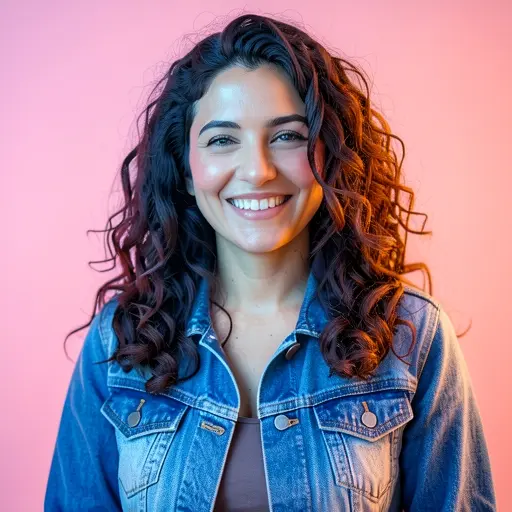
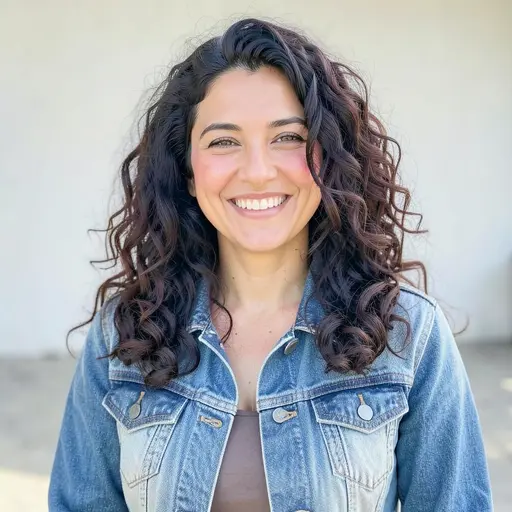
A week of posts
What to post this week
A simple Monday-to-Friday plan for salons and beauty studios. Create My Week builds a week like this from one photo, with a different look, headline and caption for each day.
Mon
The finished look, clean and bright
Start the week with the result people book you for.
Tue
A close look at the colour, cut or detail
Close-ups show skill: the blend, the line, the shine. They're what other clients save.
Wed
A bold, editorial version of the same look
An editorial take makes your feed feel like a brand, not a camera roll.
Thu
The look in real life, outside the salon
It shows how the style wears day to day, which is what new clients want to know.
Fri
Booking push: open slots, an offer or 'book now'
Fridays fill weekend and next-week slots. Make booking the obvious next step.
Looks SumoSquish chooses from for this kind of photo: Lifestyle, Portal, Neon, Watercolor, Golden Hour.
Photo tips
Take a photo that works every day of the week
- Use window light or a ring light facing the client. Avoid mixed warm and cool lights.
- A plain wall behind them makes every look work better than a busy salon floor.
- Shoot at head height, a step back, so the whole style is in frame with some space around it.
- Always ask the client before you post a photo of them.
SumoSquish checks every upload and tells you if a photo is too dark, blurry or small before you build the week.
Every size
18 sizes for every post
- Instagram Post1080×1080
- Instagram Story1080×1920
- Facebook Post1200×630
- Google Business Profile1200×900
- Instagram Portrait1080×1350
- Facebook Story1080×1920
- LinkedIn Post1200×627
- X Post1600×900
- Pinterest Pin1000×1500
- YouTube Community1080×1080
- Website Banner1920×640
- Email Header1200×400
- TikTok1080×1920
- Profile Picture1080×1080
- X Header1500×500
- Facebook Cover1702×630
- YouTube Thumbnail1280×720
- Blog & Link Preview1200×630
Questions
Good questions.
Will it change my client's face or the hairstyle?
Looks are told to keep the person and the style exactly as they are. Effects that don't suit photos of people are never used on them. Always check each post before you share it.
Can it make before and after posts?
Yes. Before & After uses your two real photos only, with no AI, so the result clients see is the work you actually did.
Which sizes do I get?
Every post comes in 18 sizes, including Instagram feed, portrait and Stories (with safe zones kept clear), Facebook and Google Business Profile.