
Social media posts for photographers, a week of content from one shot
You make beautiful images, then run out of time to market them. SumoSquish turns one shot into a week of branded posts with your logo, an offer when you're booking, captions and every size, so your feed shows the work without eating your editing time.
Free to start · No card needed · Your first AI week is on us
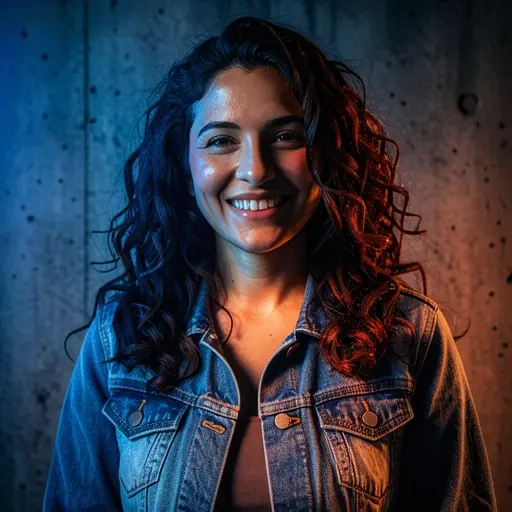
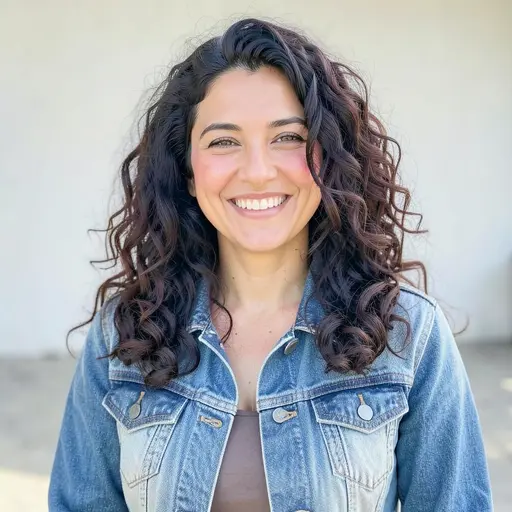
A week of posts
What to post this week
A simple Monday-to-Friday plan for photographers. Create My Week builds a week like this from one photo, with a different look, headline and caption for each day.
Mon
The hero image from the session
Lead with your strongest frame. It sets the tone for the week.
Tue
A detail or crop that shows your eye
Showing what you notice is what sets you apart from other photographers.
Wed
An editorial take on the same image
A different mood from the same shot shows range without another session.
Thu
Behind the scenes: the setting and the light
Clients book people they feel comfortable with. Show how you work.
Fri
Booking: open dates, mini sessions or an offer
End the week with your calendar and a clear way to book.
Looks SumoSquish chooses from for this kind of photo: Lifestyle, Portal, Neon, Watercolor, Golden Hour.
Photo tips
Take a photo that works every day of the week
- Upload your finished edit, not a raw file: what you upload is what gets re-staged.
- Choose images with some space around the subject so text has room in every size.
- Use images you have the client's permission to share.
- For your own originals, use realistic looks. Creative looks are labelled as AI concepts.
SumoSquish checks every upload and tells you if a photo is too dark, blurry or small before you build the week.
Every size
18 sizes for every post
- Instagram Post1080×1080
- Instagram Story1080×1920
- Facebook Post1200×630
- Google Business Profile1200×900
- Instagram Portrait1080×1350
- Facebook Story1080×1920
- LinkedIn Post1200×627
- X Post1600×900
- Pinterest Pin1000×1500
- YouTube Community1080×1080
- Website Banner1920×640
- Email Header1200×400
- TikTok1080×1920
- Profile Picture1080×1080
- X Header1500×500
- Facebook Cover1702×630
- YouTube Thumbnail1280×720
- Blog & Link Preview1200×630
Questions
Good questions.
Will it alter my photography?
Realistic looks enhance light and colour without changing the scene; creative looks are clearly labelled as AI concepts. You can also post your original photo with just your branding added.
Can I add my watermark or logo?
Your logo from the Brand Kit is placed by our design engine on every post, in the same spot every time.
Do I get every size?
Yes: 18 sizes per post, including Instagram feed, portrait and Stories, Facebook, Pinterest and LinkedIn.